


// Mouse finder
Shook
Lost your pointer? Shake it.
Give the mouse a quick shake and the pointer lands right where you can see it, with a ripple or a spotlight so your eyes find it too. Built in Rust, idles at zero CPU.
- Version1.0.0
- ForWindows 10 & 11, 64-bit
- Size4.5 MB
- LicenseMIT, donationware
What it does
Shake to find
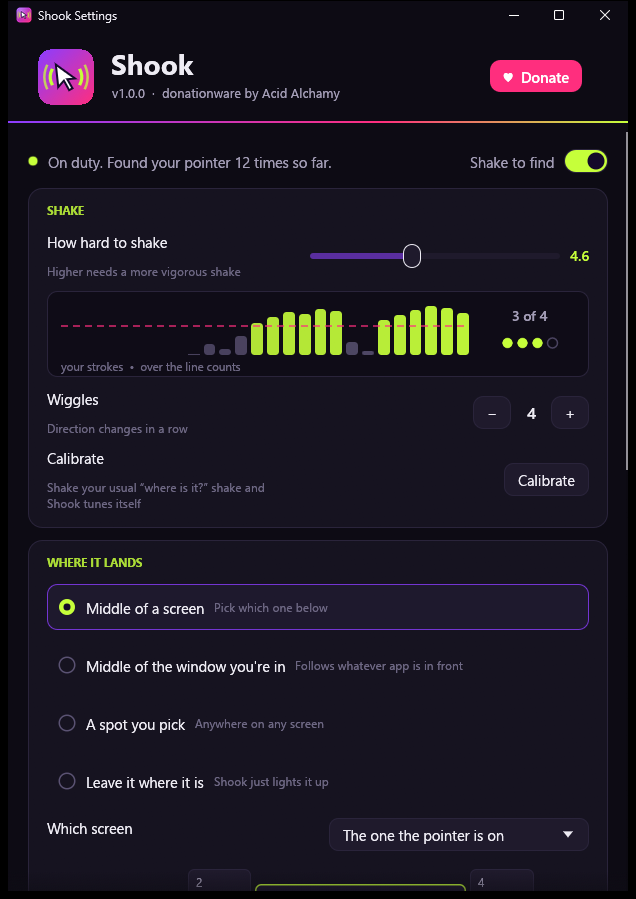
A few quick side-to-side shakes and the pointer jumps into view. Slow drags, long sweeps and hand tremor never set it off.
Lands where you want
The middle of the screen you're on, your main screen, the window you're working in, a spot you pick, or right where it is.
Hard to miss
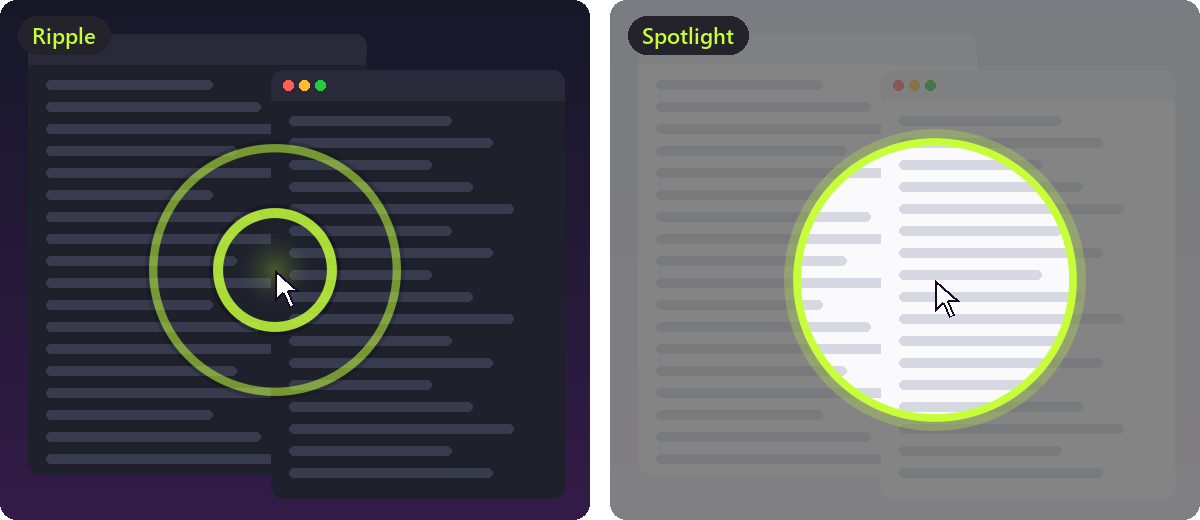
A ripple or a spotlight, in your colour and size, that follows the pointer while it plays. A soft chime too, if you like.
Tuned to your hand
Shake the way you always do and Calibrate sets the threshold for you. A live meter shows every stroke as you shake.
Stays out of the way
Ignores shakes while you drag, while a game or video is full screen, and in any app you list. Pause it from the tray.
Featherweight
Plain Win32 in Rust that sleeps until the mouse moves: no polling, no timers, about 2 MB of memory, zero CPU while it waits.
Hotkey, too
Rather press a key? Set one, like Ctrl+Alt+M, and Shook finds the pointer without a shake.
Yours to keep
One exe. No installer, no account, no ads, no telemetry. The source is open under the MIT license.
A look inside
System requirements
| System | Windows 10 or 11, 64-bit |
|---|---|
| Processor | Anything that runs Windows 10 |
| Memory | About 2 MB while it waits |
| Disk space | 4.5 MB, one file |
| Graphics | OpenGL 2 for the settings window |
| Install | None. Download and run. |
| Input | Any mouse or touchpad; tablets and remote desktop work too |
Getting started
- Download Shook.exe and run it. Windows may say it doesn't know the publisher yet: choose More info, then Run anyway.
- Shook settles into your tray (bottom right, maybe under the ^ arrow) and opens its settings once to say hello.
- Lost the pointer? Shake the mouse quickly side to side. That's it.
- Right-click the tray icon for settings, pause, a test find, or to quit. Turn on Start with Windows to have it there every time.
// donationware
If Shook earned its keep
Shook is free and stays free: no trial, no nag that won't go away, no locked features. If it saved you a hunt (or a hundred), a small donation says thanks and pays for the next tool.
- One-off, never a subscription
- Secure checkout by Stripe
- Your name and note can pop up live on my stream
Changelog
- First release: shake to find, five landing modes, ripple and spotlight, calibration with a live meter, hotkey, app and full-screen exclusions, start with Windows.
Releases, source and issues: github.com/AcidAlchamy/shook